
Updating Monkey Tools

Update Process Overview Whether you are using a Free, Pro or Trial license, Monkey Tools will check for updates every 14 days and offer to update itself. No matter your license tier, these updates may contain new features, updates and/or bug fixes, so you’ll want to stay current. In this article, we’ll look at each […]
Releasing a License Activation
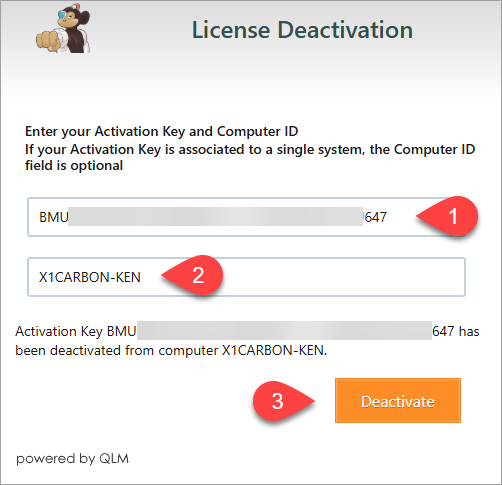
Process Overview Each Monkey Tools license purchase comes with 3 activations with the philosophy that we want you to be able to install it at work, at home and on your laptop. But what happens when you then move to a new computer? The purpose of this article is to help you release old activations […]
Activating Your License
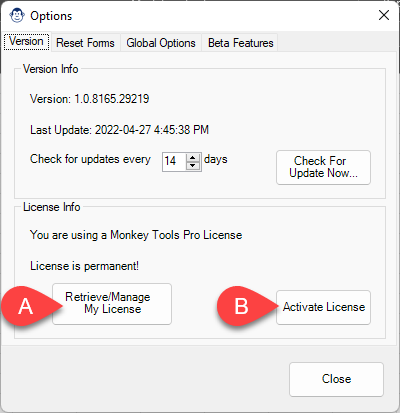
Process Overview Activating your Pro (or Trial) license should be easy, and we’ve set Monkey Tools in a way that we hope makes this as painless as possible. The quick overview of the steps needed to activate your license are: Launch Excel Go to Monkey Tools -> Options Monkey Click Activate License Paste your License […]
Installing Monkey Tools
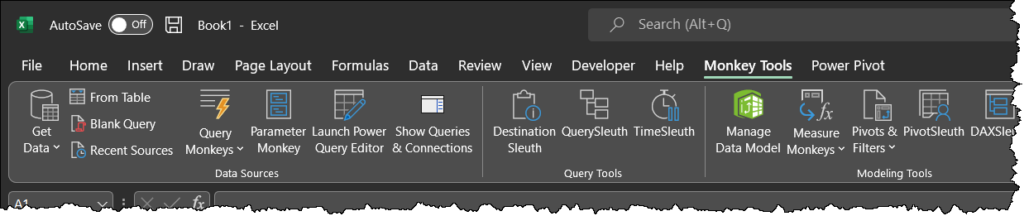
Installation Overview We’ve done our very best to make sure that installing Monkey Tools is easy. There are no files to download nor do you need admin rights to your PC. The process essentially consists of the following: Closing Excel Running our web-based installer Following the prompts Launching Excel Yes, it’s just that easy. Let’s […]
Overview of Monkey Tools

Welcome to Monkey Tools! The philosophy of Monkey Tools is simple: Build better, faster. Our aim is to provide you with a good set of tools that help you, as a business intelligence author, to: Build models more rapidly Follow recommended practices Document your work Audit files that you receive In this article, we’ll give […]